Gusk AI app icon

Now on the App Store for iPhone and iPad · Mac coming soon

Keep what matters. Sweep the rest.

Gusk AI is a calm, private email app for Mac, iPhone and iPad. It works with Gmail, iCloud Mail, Yahoo Mail, Zoho Mail and other IMAP services, all in one inbox. It clears away the newsletters, promotions and notifications, so the email that matters is easy to find.

Mac · iPad · iPhone  ·  Gmail, iCloud, Yahoo, Zoho & IMAP

A look inside

Calm by design, fast in the hand.

Real screens from Gusk AI on iPhone, shown with sample mail.

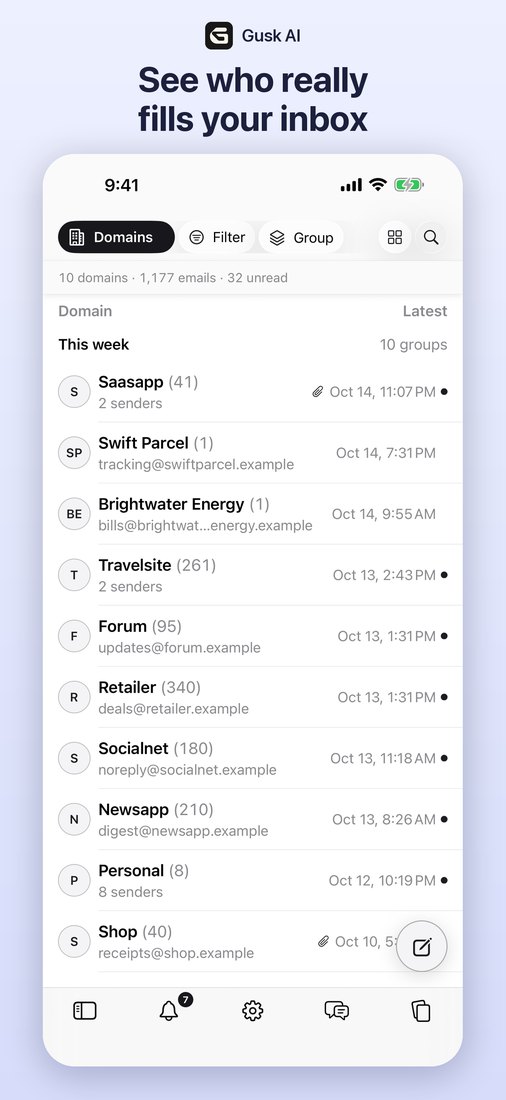
Inbox grouped by domain, with message counts and dates
Grouped inboxEvery sender and domain at a glance.
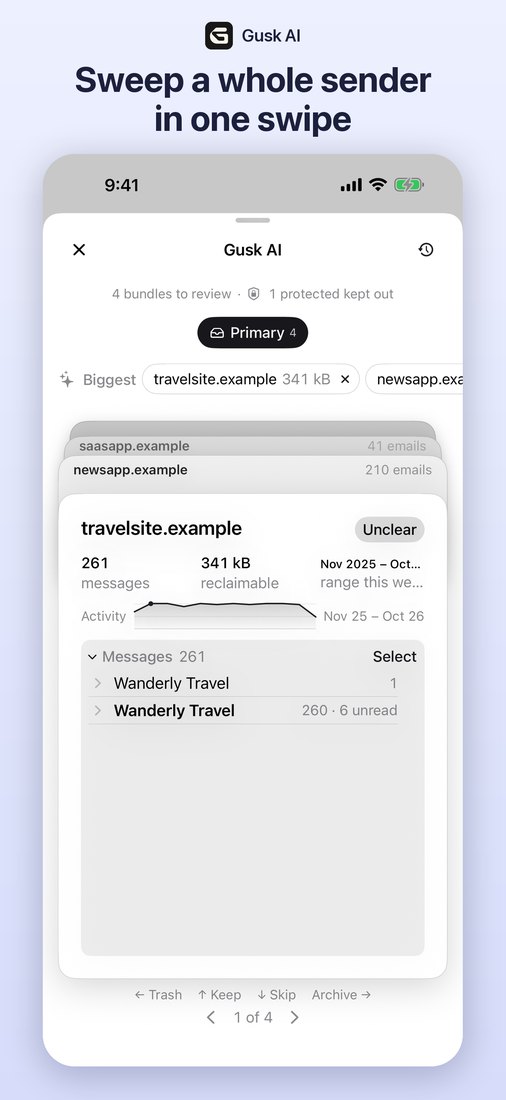
Sweep card for a bulk sender with Trash, Keep and Archive
SweepSwipe to trash, keep or archive a whole sender.
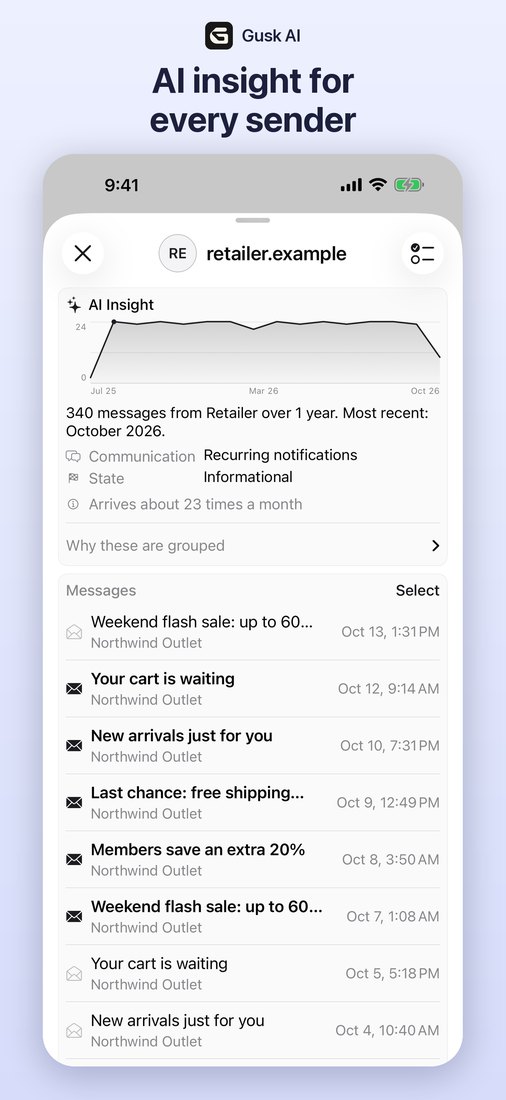
Sender detail with activity chart and bundle intelligence
Sender insightsHow often they write and why they’re grouped.
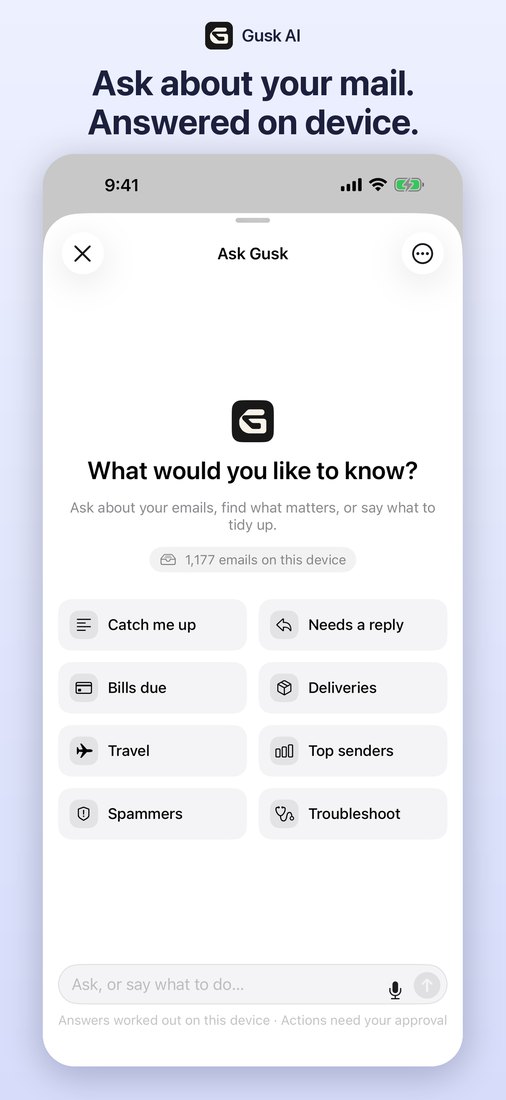
Ask Gusk assistant with suggested questions
Ask GuskOn-device answers, and actions you confirm.

Mac · iPad · iPhone

Made for every screen you read mail on.

A full sidebar on Mac and iPad, and the same Sweep in your pocket. Your signatures sync across all three through your own mailbox.

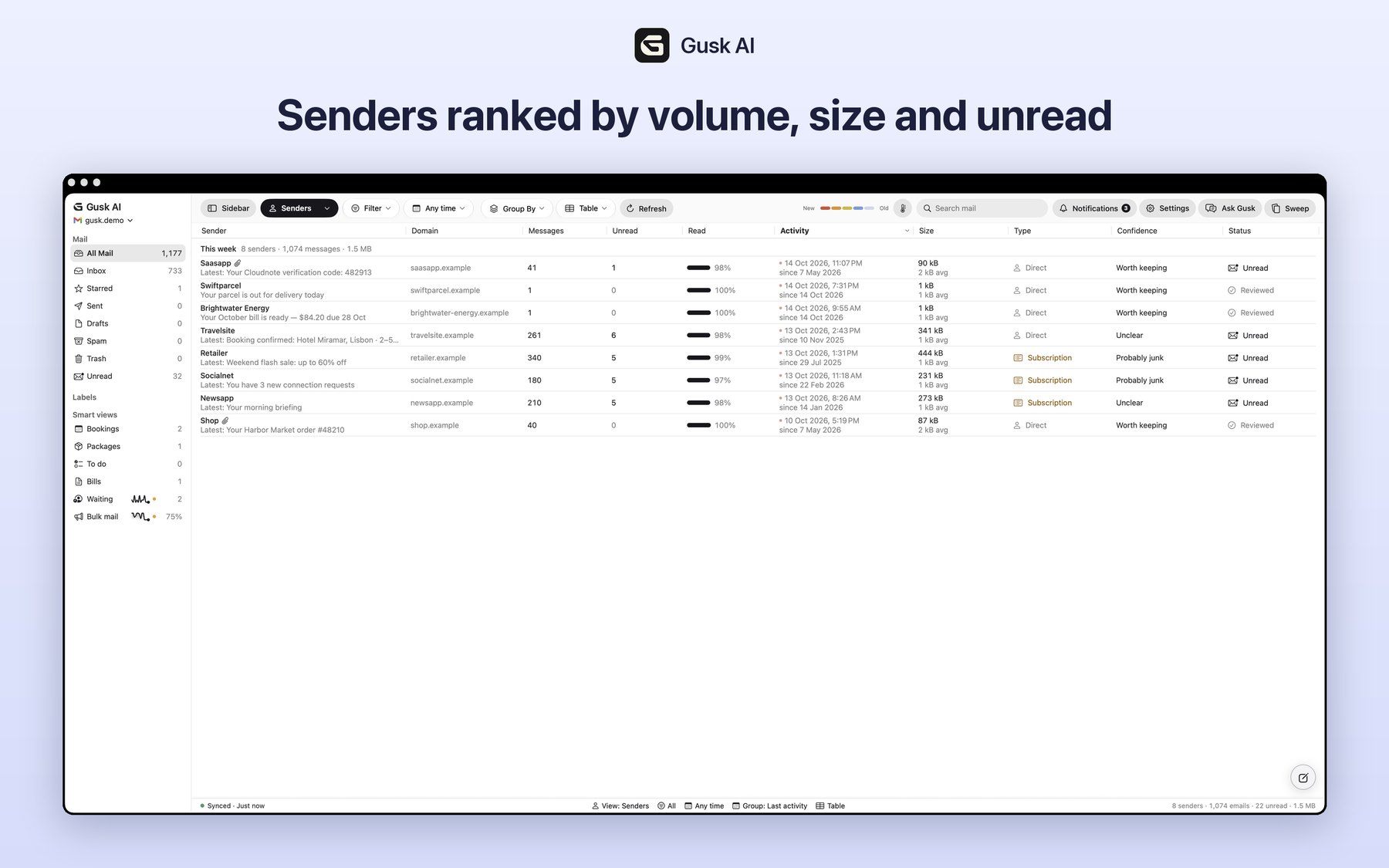
Gusk AI on Mac: mailboxes, labels and smart views in the sidebar, with senders ranked by volume, size and unread
Gusk AI for MacMailboxes, labels and smart views in the sidebar, and every sender ranked by volume, size and unread, with keyboard shortcuts throughout.
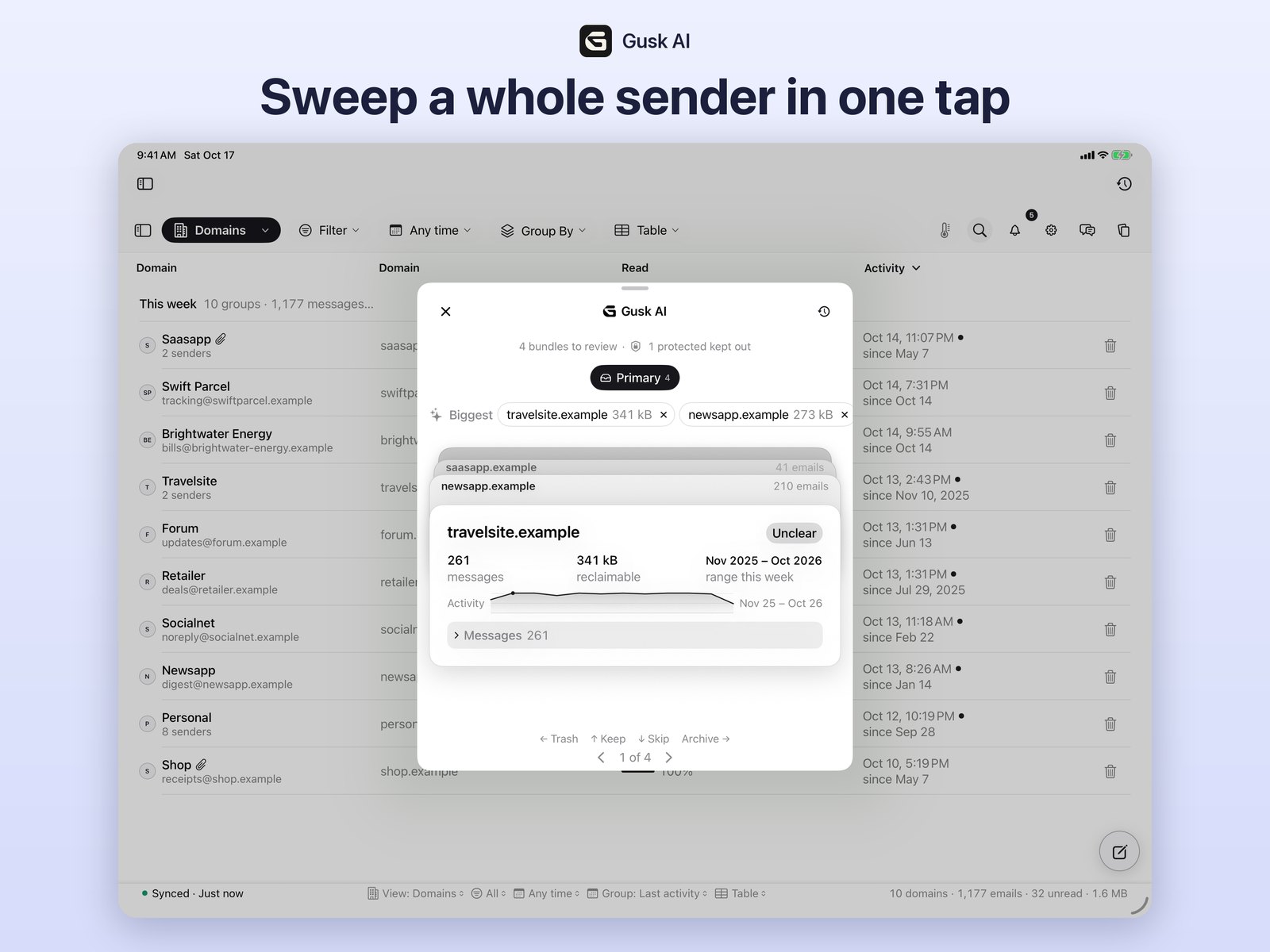
Gusk AI on iPad: a Sweep card over the domains table
Gusk AI for iPadSweep a whole sender in one tap, right over your inbox.

Features

An inbox that stays out of your way.

Everything you need to tame a busy inbox, and nothing that gets in the way.

Sweep

Archive or trash a whole sender or domain with one swipe. You can always undo.

Ask Gusk

Ask “what needs a reply?” or “catch me up on this week.” Gusk can take action for you, and asks before it does.

Next 7 days

Bookings, bills, packages and to-dos, pulled from your inbox into one view.

Write

Rich-text replies, and signatures that follow you to every device.

Everything Gusk does

The complete feature list.

Every action that changes your mail runs only when you ask for it. Trashed mail goes to your mailbox’s Trash, where you can restore it; Gusk deletes mail permanently only when you choose to empty Spam or Trash.

Read & organise

  • Connects with an app password to Gmail, iCloud Mail, Yahoo Mail, Zoho Mail or any IMAP service, and shows your folders and labels
  • Several accounts side by side in one unified inbox
  • Lists your mail and groups it by sender, domain and type (newsletters, promotions, notifications, receipts)
  • Opens full messages, threads and attachments
  • Searches your mailbox
  • Creates, renames and deletes labels or folders, and files messages into them
  • Shows sender logos, looked up by domain name only

Clean up

  • Sweep: archive, trash, mark read or unread, star or label all mail from a sender or domain at once
  • Suggests cleanups (for example old promotions) and asks you to confirm each one
  • Unsubscribe: uses the sender’s own unsubscribe link, either opening it in your browser or sending the unsubscribe email the sender asked for
  • Finds large emails and emails with attachments so you can free up space
  • Remembers your choice for a sender, only when you ask, so their future mail is archived or trashed automatically on your device
  • Empties Spam or Trash, only when you ask
  • Undo for sweeps and bulk actions

Write

  • Compose, reply and forward, with rich text and attachments
  • Saves and discards drafts in your mailbox
  • Email signatures, stored as one small “Winnow Settings” message in your own mailbox so they sync across your devices
  • Voice dictation, processed on your device

On-device intelligence

  • Ask Gusk: ask questions about your mail and get answers and summaries
  • Ask Gusk can suggest actions (archive, label, unsubscribe) and always asks you to confirm first
  • Next 7 days: bookings, bills, deliveries and to-dos found in your inbox
  • All of this runs on your device with Apple Intelligence. No email is sent to any AI service or used to train AI models.

Your accounts

Signs in with an app password.

Gusk connects directly from your device to your mail service’s own servers. It has no server, and the developer never receives your data.

IMAP over TLS

Used to read your messages so they can be listed, grouped and opened, and to archive, trash, label, star and mark them read or unread when you ask.

SMTP over TLS

Used only to send email you write, and an unsubscribe email when you tap Unsubscribe and the sender asks for one.

An app password is a separate password your mail service creates for one app; your main password is never used. You can revoke it at any time in your mail service’s account settings. See the privacy policy for details.

Private by design

Your email never leaves your hands.

Gusk AI has no server. Your mail goes straight from your mail service to your device, and the AI features run on the device with Apple Intelligence. Read the privacy policy →

  • No servers, no copies of your mail
  • AI runs on your device, never in a third-party cloud
  • No analytics, no ads, no tracking
  • App passwords kept in your device’s Keychain

Why “Gusk”

Winnowing is the old practice of letting a gust of wind blow the husk away from the grain. Gusk is that gust and the husk in one word: it blows the clutter out of your inbox so the email that matters stays.